
Blog posts tagged "Multipass"
Why run Ubuntu on Windows? It’s about getting the best of both worlds.
For those looking for a streamlined, lightweight command line interface for Docker on Mac, look no further. Multipass is a flexible tool that makes it easy to create and run Ubuntu VMs on any platform, and it comes with built-in tools that make running applications like Docker feel native on platforms such as macOS. What
Historically ROS has been developed on top of Ubuntu, relying on the distribution as a stable base providing tools (like GCC, CMake, Python to name a few) and libraries (such as Boost, Eigen, PCL) and following its release cycle (a distribution per year, an LTS every two years). This synergy has worked great for more

What’s the best way to get a Linux environment in VSCode? Developers love Visual Studio Code (VSCode) for its flexibility and for its goldilocks balance of powerful features and lightness / speed. VSCode is a popular choice for developers using Linux, but even those using it on Mac or Windows often look for ways to

Multipass 1.11 is here! This release has some particularly interesting features that we’ve been wanting to ship for a while now. We’re excited to share them with you! For those who aren’t familiar with Multipass, it’s software that streamlines every aspect of managing and working with virtual machines. We’ve found that development, partic

Developers rejoice! The Multipass team has been listening to your feedback, and we are excited to announce that the latest update to Multipass contains one of our most requested features – instance modification. For those who are just discovering Multipass, it’s software designed to make working with virtual machines as painless as possib

In February of this year the Multipass team took on a challenge: completely overhauling our documentation. Canonical has put a renewed emphasis on documentation in recent months, led by Daniele Procida and his Diataxis framework, and we wanted to be an early adopter of this methodology. We had no idea where to start, but fortunately
This week, the Multipass team announced a new version of the VM manager and local mini-cloud. Multipass makes it easy to run Linux virtual machines on Mac, Windows, and Linux hosts by providing a streamlined CLI that abstracts away the admin overhead of working with VMs. This update comes with some exciting new features, including
Multipass has a new workflow tailored to run Docker containers on macOS, Windows or Linux. One single command, no dependencies, full flexibility. Multipass exists to bring Ubuntu-based development to the operating system of your choice. Whether you prefer the GUI of macOS (even on M1), Windows or any other Linux, the unmatched experience

Update: there is now a more streamlined way to run Docker on Multipass – see this tutorial for more details. Original blog below: If you’re looking for an alternative to Docker Desktop or to integrate Docker into your Multipass workflow, this how-to is for you. Multipass can host a docker engine inside an Ubuntu VM
Developers can now launch Linux instances on Apple M1 with Multipass 1.8 November 9th London, UK: On the heels of Apple’s announcement of a new line of game-changing M1 MacBooks, Canonical is bringing fast and easy Linux to the M1 platform. Multipass, the quickest way to run Linux cross-platform, received an update last week allowing

Using Ubuntu for your ECS clusters on-prem or elsewhere will allow you to run your ECS Anywhere workloads with optimal performance everywhere you need it.

Kubernetes orchestrates clusters of machines to run container-based workloads. Building on the success of the container-based development model, it provides the tools to operate containers reliably at scale. The container-based development methodology is popular outside just the realm of open source and Linux though. Exactly the same bene
Windows and macOS developers can now use MicroK8s natively! Use kubectl at the Windows or Mac command line to interact with MicroK8s locally just as you would on Linux. Clean integration into the desktop means better workflows to dev, build and test your containerised apps. MicroK8s is a conformant upstream Kubernetes, packaged for simpli
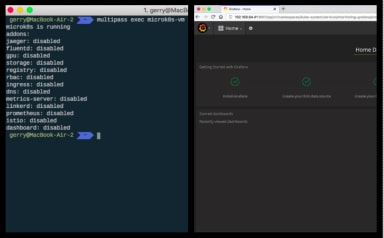
UPDATED in July 2020 with the latest instruction set. Are you looking for a Kubernetes solution to run on your Mac? MicroK8s is a lightweight, pure upstream distribution of Kubernetes developed by Canonical. It’s a compact Linux snap that installs a single-node Kubernetes cluster alongside carefully selected add-ons on Linux, Windows and
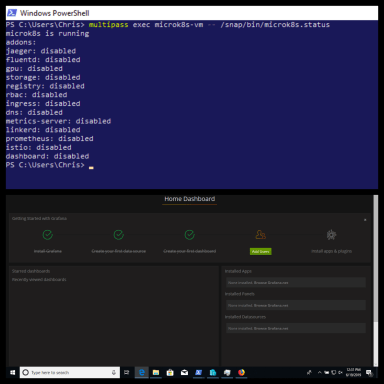
This content is password protected. To view it please enter your password below:Password: The post Protected: Kubernetes on Windows appeared first on Ubuntu Blog.